
Scan-to-BIM vs. Scan-to-CAD: When each workflow makes sense
When point clouds exist but the target model is undefined
In many projects, a high-quality point cloud is available after surveying, but the question of the “right” next step remains unanswered. Should the data be turned into a BIM model, or are conventional 2D plans sufficient? This is exactly where decisions are often made that later result in unnecessary effort, unsuitable data structures, or models that cannot be used effectively.
The situation becomes particularly critical when the decision is not based on the actual use case, but on expectations regarding the final deliverable. A 3D model is then automatically equated with BIM, while 2D plans are perceived as the “simpler” solution. In practice, however, neither Scan-to-BIM nor Scan-to-CAD is inherently superior. Both approaches address different requirements.

This article covers:
Scan-to-BIM and Scan-to-CAD serve different purposes, not different quality levels
Scan-to-BIM is not the “better” version of Scan-to-CAD. The deciding factor is not the method itself, but how the data will be used afterward. Scan-to-BIM is appropriate when structured, semantic building data is required. Scan-to-CAD is sufficient when the focus lies on geometric information for planning, documentation, or plan generation.
A BIM model does not only describe geometry, but also component relationships, attributes, and logic. CAD drawings, by contrast, represent geometry without structuring it semantically. The chosen workflow therefore directly determines how the data can be used throughout the later stages of the project.
What Scan-to-BIM and Scan-to-CAD actually are
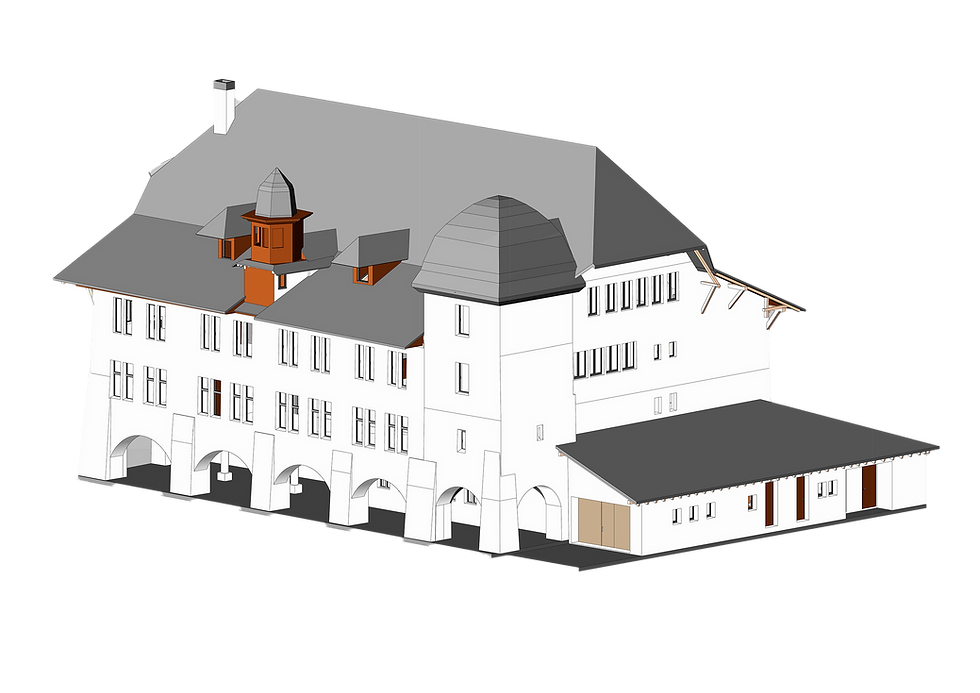
Scan-to-BIM describes the transformation of a point cloud into an object-based, semantically structured building model. Components such as walls, slabs, or doors are modeled as intelligent objects containing properties and relationships. The goal is a model that is not only visually accurate, but also analysable and reusable.
Scan-to-CAD describes the extraction of 2D drawings or simple 3D geometry from a point cloud. The result consists of plans or models primarily intended for representation. Information is stored in lines, surfaces, or solid geometry, but not organized as structured building components.
A common misconception is that any detailed 3D model automatically qualifies as a BIM model. The decisive factor, however, is not the dimensionality, but the data structure. A 3D CAD model remains a geometric model as long as no semantic classification exists.
How the differences affect projects in practice
Data structure determines usability
A BIM model enables quantity take-offs, rule-based checks, and structured evaluations because components are uniquely identifiable. A wall is not just a surface, but an object with material properties, thickness, and functional meaning.
In a Scan-to-CAD workflow, however, lines and surfaces are created without this semantic layer. A wall is represented geometrically, but cannot automatically be evaluated or integrated into downstream workflows. As a result, later project steps often require manual interpretation.
Modeling effort increases with the required Information Level
Scan-to-BIM requires significantly more interpretation. Components must be identified, separated, and logically modeled. This becomes especially challenging in existing buildings, where irregularities, deviations, and unclear boundaries complicate the process.
Scan-to-CAD follows visible geometry more directly. Lines are traced along the point cloud without requiring a complete interpretation of the building structure. In many cases, this reduces effort and makes project scope easier to estimate.
Accuracy and Level of Detail follow different priorities
A BIM model does not need to reproduce every geometric deviation exactly. Its primary purpose is to provide a consistent and usable structure. In practice, this often involves deliberate simplification.
In Scan-to-CAD workflows, the focus is more strongly placed on geometric precision within the representation itself. Plans need to be dimensionally reliable and visually understandable, particularly for as-built documentation or straightforward renovation planning.
Interfaces and further processing differ significantly
Scan-to-BIM enables integration into BIM workflows, including clash detection, simulations, or interdisciplinary coordination. This is only possible when the model is structured accordingly.
Scan-to-CAD workflows often end with plan generation. Further use is possible, but usually not automated. Data frequently needs to be reinterpreted when transferred into other systems.
Common mistakes when choosing between Scan-to-BIM and Scan-to-CAD
Projects regularly show that the chosen workflow is not always aligned with the actual project requirements. This leads to recurring issues:
BIM is selected even though no structured downstream use is planned
CAD is used although quantities or component information will later be required
Model requirements are defined too vaguely
The future users of the model are not involved in the decision-making process
These mistakes usually stem from an unclear understanding of how the data will be used later in the project lifecycle. The consequences often only become visible afterward, when models fail to provide the expected information or require costly adjustments.
How the decision is made in practice
In practice, the choice between Scan-to-BIM and Scan-to-CAD is rarely made in isolation. It depends on the specific use case, the involved disciplines, and the available resources.
Architects often require precise plans as a basis for design development or renovation planning. In these cases, Scan-to-CAD is frequently sufficient. MEP planners, on the other hand, benefit more from structured models because they need to coordinate and evaluate complex systems.
Another important factor is the project timeline. If models are intended for long-term use or future updates, Scan-to-BIM is often the more appropriate solution. For short-term projects with clearly defined deliverables, Scan-to-CAD is typically more efficient.
The quality of the point cloud also plays an important role. Incomplete or difficult-to-interpret scan data significantly complicates BIM modeling, while still being usable for simpler plan generation workflows.
Conclusion: The right method depends on the intended use
The decision between Scan-to-BIM and Scan-to-CAD is not a question of technology, but of project objectives. If only geometry is needed, there is little value in building a semantic model. If data needs to be analysed, coordinated, or reused, structured BIM models become essential.
In many projects, the problem is not the chosen method itself, but unclear expectations regarding the final deliverable. A precisely defined use case therefore remains the most important basis for making the right decision.
Are you interested in 3D modeling (BIM) and would like to find out more or do you have specific questions? We look forward to exchanging ideas with you!
Michael Danklmaier,
Miviso Co-Founder
E-Mail: michael.danklmaier@miviso.com
Tel.: +43 512 931824 200


Comments